
How to Import KiCad Libraries
Follow these steps to import the WaypointCarePackage KiCad library package into a KiCad 10.0 project.
You need:
WaypointCarePackage.zip- A KiCad project with a
.kicad_profile
1. Extract the package
Section titled “1. Extract the package”Extract WaypointCarePackage.zip. Do not point KiCad at the zip file itself.
After extraction, you should see WaypointCarePackage.kicad_sym and WaypointCarePackage.pretty next to each other.
2. Put the library inside your KiCad project
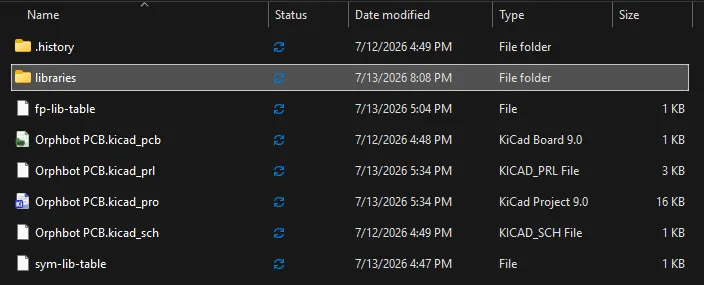
Section titled “2. Put the library inside your KiCad project”Open the folder that contains your .kicad_pro file. Create a folder named libraries if it does not already exist.
Copy both extracted library items into libraries.
Your project should look like this:
YourProject/ YourProject.kicad_pro YourProject.kicad_sch YourProject.kicad_pcb libraries/ WaypointCarePackage.kicad_sym WaypointCarePackage.pretty/Keep this exact folder structure so the included 3D models resolve.
3. Open the project in KiCad 10.0
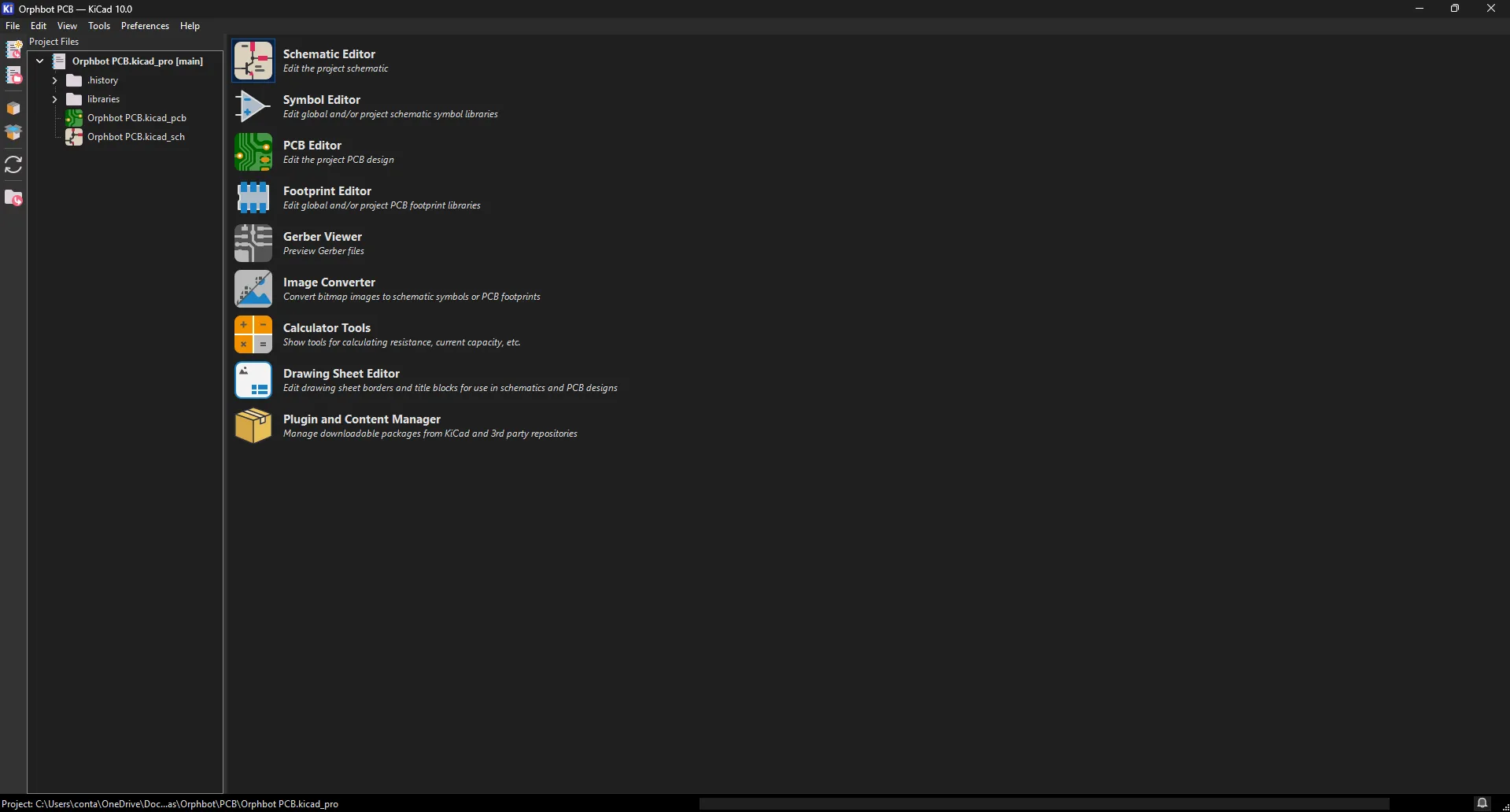
Section titled “3. Open the project in KiCad 10.0”Launch KiCad 10.0 and open the project’s .kicad_pro file.
4. Add the symbol library
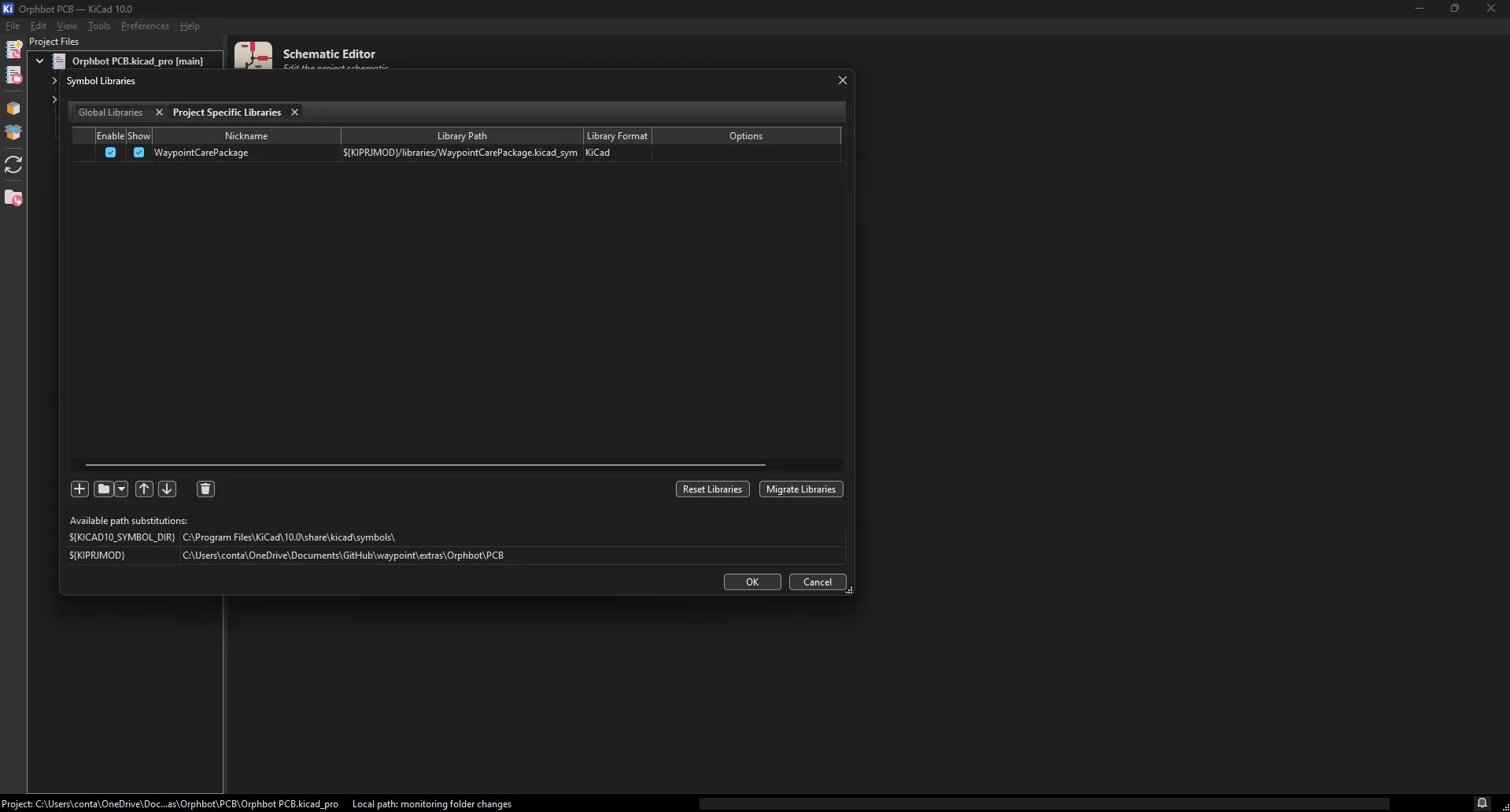
Section titled “4. Add the symbol library”Open Preferences -> Manage Symbol Libraries….
Choose Project Specific Libraries, then click the folder button and select:
libraries/WaypointCarePackage.kicad_symUse this nickname:
WaypointCarePackageUse this path:
${KIPRJMOD}/libraries/WaypointCarePackage.kicad_symClick OK or Apply.
5. Add the footprint library
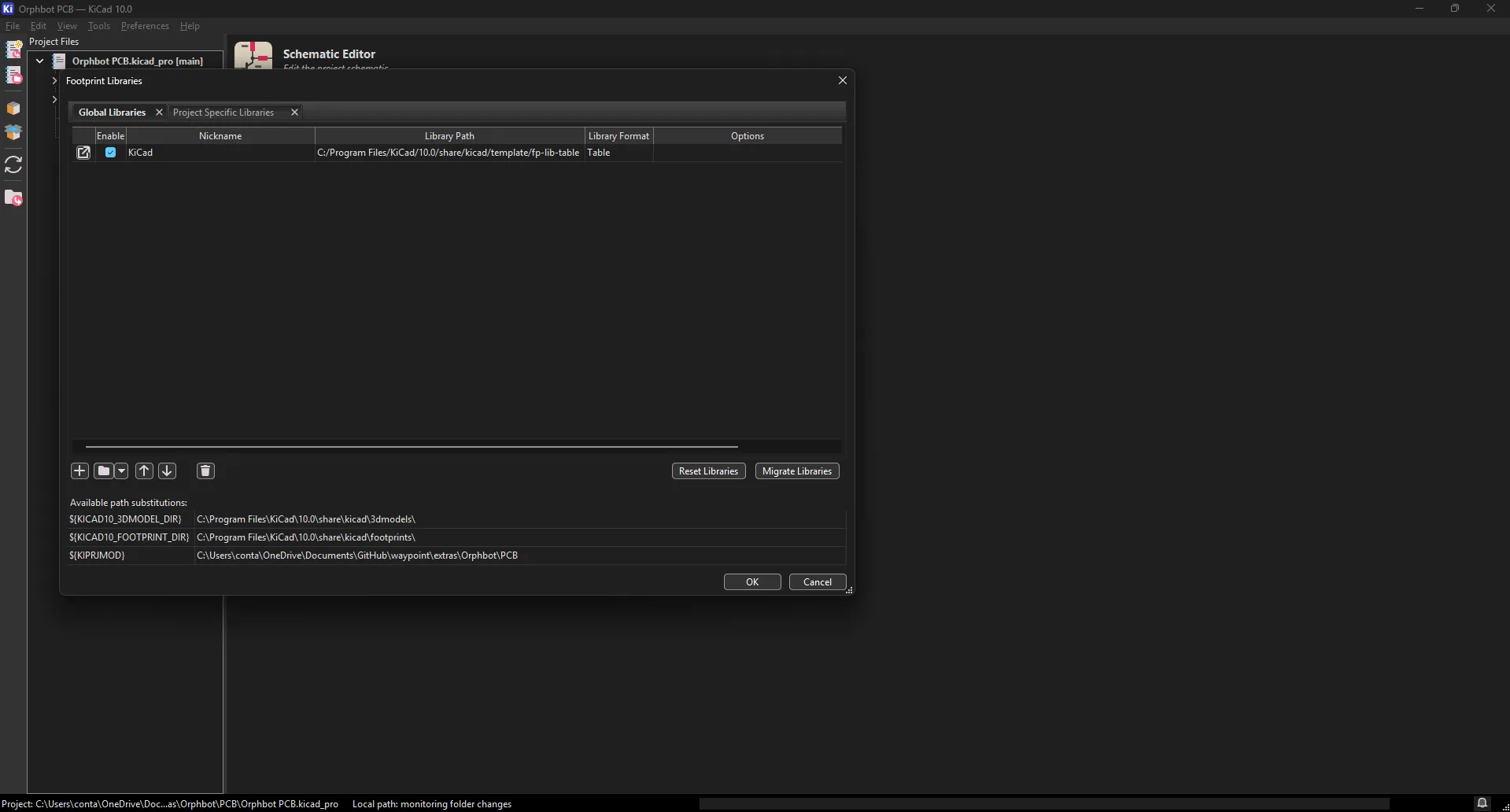
Section titled “5. Add the footprint library”Open Preferences -> Manage Footprint Libraries….
Choose Project Specific Libraries, then click the folder button and select:
libraries/WaypointCarePackage.prettyUse this nickname:
WaypointCarePackageUse this path:
${KIPRJMOD}/libraries/WaypointCarePackage.prettyClick OK or Apply.
You can now use the WaypointCarePackage libraries inside your schematic and PCB layout.
Troubleshooting
Section titled “Troubleshooting”The library does not show up in Add Symbol or Add Footprint: Make sure you added it on the Project Specific Libraries tab for the project you currently have open, then reopen the Add Symbol or Add Footprint dialog.
KiCad will not let you select the package: Extract the zip first. Symbol libraries are added from .kicad_sym files, and footprint libraries are added from .pretty folders.
The footprint appears, but the 3D model is missing: Put the library folder under the project as libraries/WaypointCarePackage.pretty.
You want the library available in every project: Add the same symbol and footprint entries on the Global Libraries tab instead.